
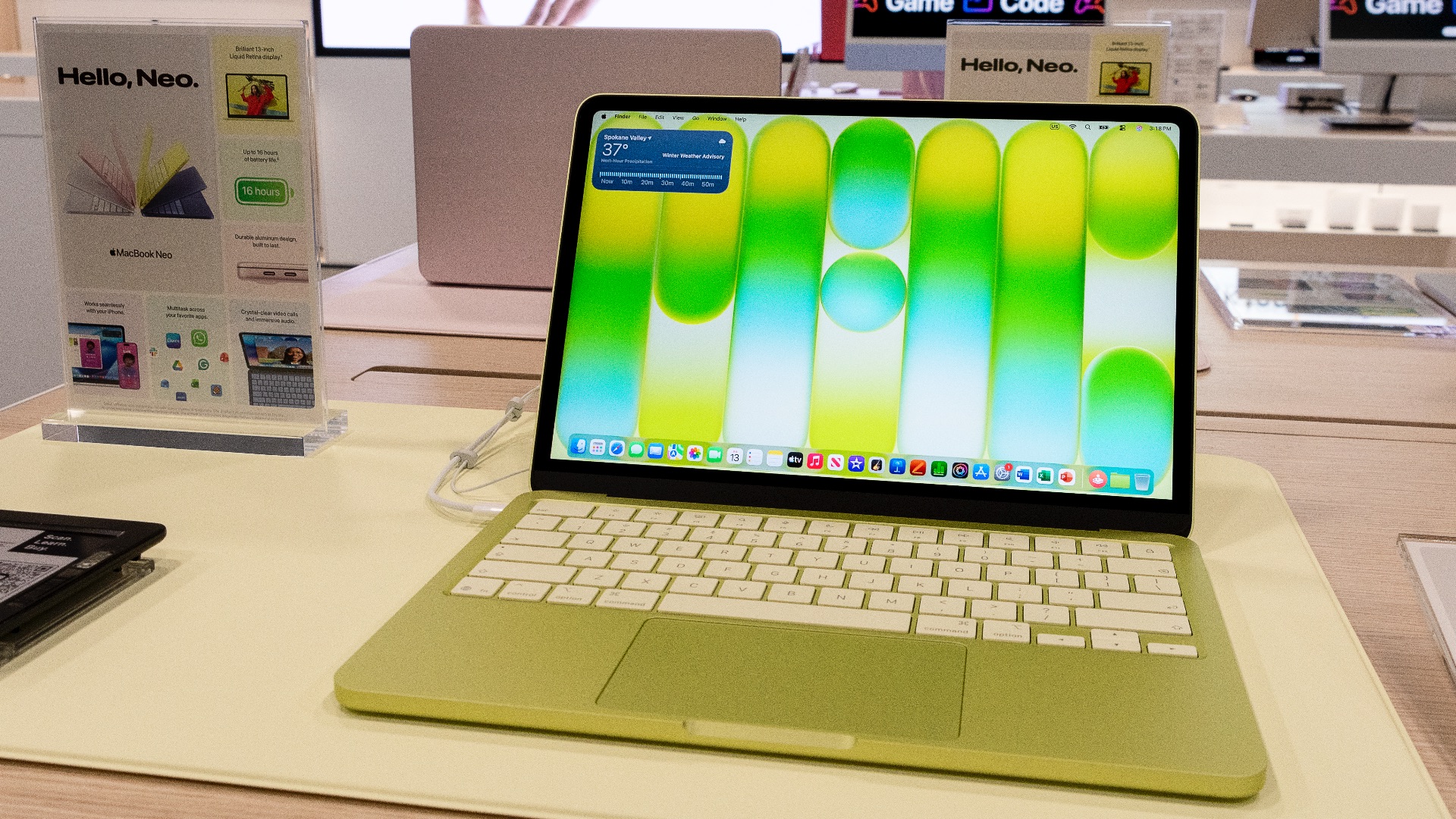
Apple is no stranger to setting the tone for the industry with its hardware and innovative designs, but the company has rarely made headlines for making its products more accessible (well, excluding maybe the more affordable iPhone lineup). So imagine the surprise that rippled through the tech field when Apple unveiled the MacBook Neo: its cheapest laptop to date and a direct attempt to draw in first-time Mac users who've been priced out and had to rely on different means. It's a bold move from a company that has historically prioritized premium-made products, and early reviews suggest it's one that paid off.
To cut to the chase, here are the important numbers: the Neo starts at $599 for the general public and $499 for those who qualify for education pricing, slotting in below the MacBook Air and MacBook Pro as Apple's new entry-level option. For usage, it's aimed primarily at students, budget-conscious buyers, and anyone who wants the Mac experience without committing to a four-figure price tag. Still curious? If you've been sitting on the fence about switching to Mac, read on, and we'll let you know if this is the right laptop for you.
A Familiar Build with a Bold New Look
The MacBook Neo shares the same durable aluminum construction you'd expect from an Apple laptop, but don't worry: that chassis doesn't make it look or feel like a budget machine in any way. Apple says the enclosure achieves 60% recycled content by weight, making it the most sustainable MacBook the company has ever produced. The keyboard and feet are color-matched to the build, and the overall fit and finish are consistent with what you'd find on pricier models in the lineup.
Available in four colors—Silver, Blush, Citrus, and Indigo—the Neo is part of the most colorful MacBook collection Apple has ever offered. Each option has a distinct personality: Indigo is deep and understated, while Citrus is a lively yellow-green that's either loved or hated. If Apple's traditionally restrained palette hasn't appealed to you in the past, the Neo is worth a second look.
As for the display, the 13-inch Liquid Retina screen delivers a 2408 x 1506 resolution, up to 500 nits of brightness, and support for one billion colors, making it bright, sharp, and vibrant enough for most everyday use. Photos and videos hold up well on it, and text is crisp enough for long reading or writing sessions. One omission worth noting is the lack of True Tone, which automatically adjusts color temperature based on your ambient lighting. Given that it's a feature available on Apple's pricier MacBooks, its absence might be pretty noticeable if you're already used to it and are thinking of moving to the Neo.
Solid Performance for Everyday Tasks
Powering the Neo is Apple's A18 Pro chip, the same processor found in the iPhone 16 Pro, configured here with a 6-core CPU and 5-core GPU. It's the first time Apple has used an A-series chip in a Mac, but from a software standpoint, you'd never know the difference; you still get the full macOS experience and access to all the same apps. The chip is also efficient enough to allow for passive, fanless cooling, which means the MacBook Neo runs completely silently regardless of what you're doing.
Performance in day-to-day tasks is genuinely strong, and the Neo handles real-world workloads well. It manages 30 browser tabs open simultaneously alongside apps like Mail, Messages, and Spotify without any freezing or slowdowns, and Apple Intelligence features run smoothly across supported apps. The 8GB of unified memory might sound modest on paper, but Apple's memory management is efficient enough that most users, whether browsing, writing, video calling, or streaming, won't feel the difference.
Where the Neo starts to show its limits is in more demanding creative workflows. Photo and video editing is technically workable, but export times are slower than what you'd get from the MacBook Air or Pro with their M-series chips. If you edit video regularly or work with large files professionally, the Neo may not fully meet your needs; for lighter creative work and general productivity, though, it handles the load without complaint.
Pricing, Trade-Offs, and Who It's For
The base configuration for the Neo starts at $599 and includes 8GB of unified memory and 256GB of storage, while the $699 model bumps storage to 512GB and adds Touch ID to the keyboard, an upgrade that's well worth the extra hundred dollars if you can swing it. Battery life is rated at up to 16 hours, and at just 2.7 pounds, it's easy to carry around all day without much struggle. The low power draw also means you can top it off with a small power bank, which is handy for long days away from an outlet.
A few trade-offs are worth knowing about before you commit to a purchase, though. The base model doesn't include a backlit keyboard, which is a pretty big absence for a laptop in 2026, especially since many competitors at this price point offer one as standard. You're also limited to two USB-C ports, and the Neo only supports a single external display at up to 4K at 60Hz, so it's not the best fit if you rely on a multi-monitor desk setup.
Even with those caveats, the MacBook Neo is a strong value proposition for the right buyer. Compared to Windows PCs and Chromebooks in the same price range, it stands out for its build quality, display, and overall performance; most competing laptops around $600 are bulkier, dimmer, and less capable. For students, first-time Mac buyers, or anyone who simply needs a reliable everyday machine without spending over a thousand dollars, the MacBook Neo is one of the most well-rounded options available at its price.