
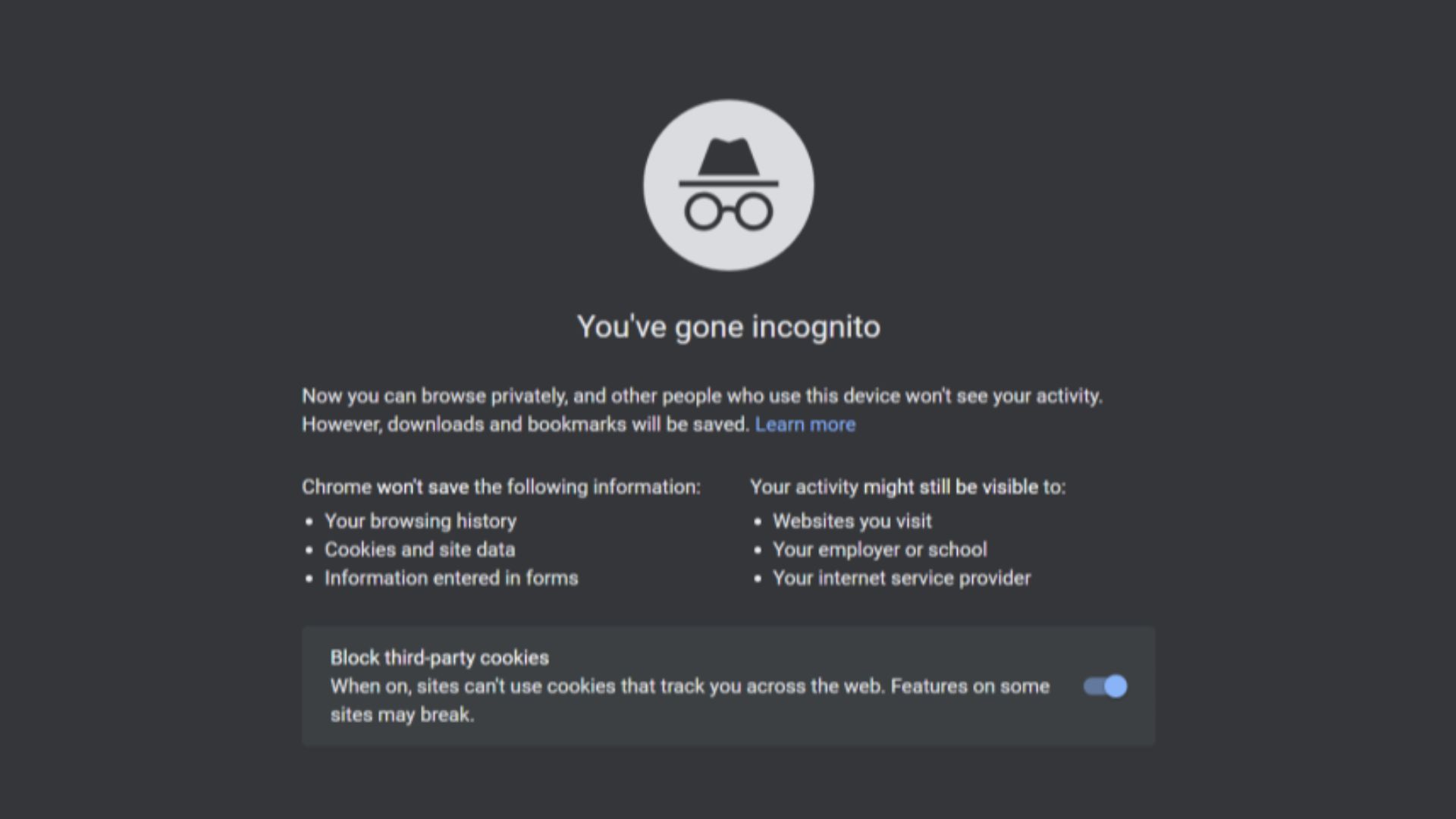
 The Incognito Guy on Wikimedia
Opening an incognito window can feel like pulling a curtain over your online activity. Your regular browsing history stays cleaner, old cookies generally aren’t carried into the new session, and someone checking your browser later won’t immediately see every site you visited. That makes private browsing genuinely useful, especially on shared devices.
What it doesn’t do, however, is make you anonymous on the internet. Websites, network administrators, internet providers, and various online services may still receive information about your visit, while your browser continues sharing technical details necessary to make websites work. In other words, incognito mode offers privacy, but mostly from other people using the same device.
Incognito Mode Mostly Changes What Gets Saved Locally
The main job of private browsing is surprisingly simple: it limits what your browser keeps after your session ends. Chrome, for example, removes the session’s site data and browsing record once you close all Incognito windows. Firefox similarly avoids keeping private browsing history and clears temporary cookies and site data afterward.
That can be helpful if you’re researching a surprise gift, checking an account on someone else’s computer, or simply don’t want certain pages appearing in your browser history. It also gives websites a relatively fresh session because previously stored cookies aren’t being reused in the normal way. Once you close the private window, much of that temporary session information disappears.
However, not everything vanishes with it. Files you download remain on your computer, and bookmarks you deliberately create stick around as well. Private browsing therefore isn’t an automatic cleanup button for everything you do while the window is open.
Safari takes a similar approach, although Apple has added extra privacy features around private windows. Safari doesn’t remember visited pages, search history, or AutoFill information from Private Browsing sessions, and newer versions can lock private tabs when you aren’t using them. Safari also blocks known trackers from loading and removes certain tracking information from URLs.
Websites Can Still Learn A Lot About Your Visit
The moment you connect to a website, some information has to travel between your device and that site. One of the most obvious pieces is your IP address, which can reveal an approximate geographic area and identify the network you’re using. Standard incognito mode doesn’t hide that address.
Websites can also receive technical information about your browser and device. Details such as your browser type, operating system, language preferences, screen characteristics, and other configuration data can help a site display properly. Put together, those little details can create what’s known as a browser fingerprint, which can help websites recognize your device even without knowing exactly who you are.
Your behavior during the session can provide additional clues. A website can see the pages you visit on that site, what you click, how long requests take, and information you intentionally submit. If you sign into an account while using incognito mode, the service obviously knows that the activity occurring after login is connected to that account.
That last point is particularly important because private mode doesn’t cancel out an account login. Chrome doesn’t automatically sign you into Google or other websites when you open Incognito, but you’re still free to log into services manually. Once you do, those services may collect activity according to their usual settings and privacy policies.
Other Parts of the Internet Aren’t Wearing the Incognito Disguise
Your browser is only one part of the route between you and a website. Traffic also passes through your local network and internet service provider, which is why browser makers repeatedly warn that private mode doesn’t make your online activity invisible. Employers or schools managing a network may also have systems capable of observing network activity.
Private browsing also shouldn’t be confused with a VPN or similar privacy service. Those tools operate differently, usually by routing traffic through another server and concealing your normal IP address from the websites you visit. Even then, privacy depends heavily on the service being used, so there’s no single button that magically makes every online action untraceable.
If you're on an Apple device, iCloud Private Relay can add additional privacy. When enabled for Safari, Private Relay is designed to prevent any single party from seeing both your identity and the websites you’re visiting by routing requests through separate relays. That’s an additional service rather than simply another name for Safari’s Private Browsing mode.
So, while incognito mode isn't a method of disappearing from the internet, it does help you leave fewer records inside your browser. It’s useful when you understand that limitation, and much less impressive when you expect it to turn your laptop into an anonymous machine.
For everyday privacy, that distinction matters more than the little hat-and-glasses icon might suggest. Private browsing can keep searches and websites away from your regular browser history, but the sites you visit still know that somebody arrived. Incognito closes the curtains inside your browser; it doesn’t switch off everything happening outside the window.