
 The Incognito Guy on Wikimedia
If you've ever opened an incognito window before browsing something you'd rather keep private, you're far from alone. Most people assume that the feature acts as a kind of digital invisibility cloak, shielding their activity from anyone who might be watching. The reality, however, is considerably more limited than that.
Incognito mode (or private browsing, as it's called in some browsers) does serve a real purpose, but it's a narrow one that's frequently misunderstood. Before you trust it with all your secrets, you might want to know what it really does for you, and what it doesn't.
What Incognito Mode Actually Does
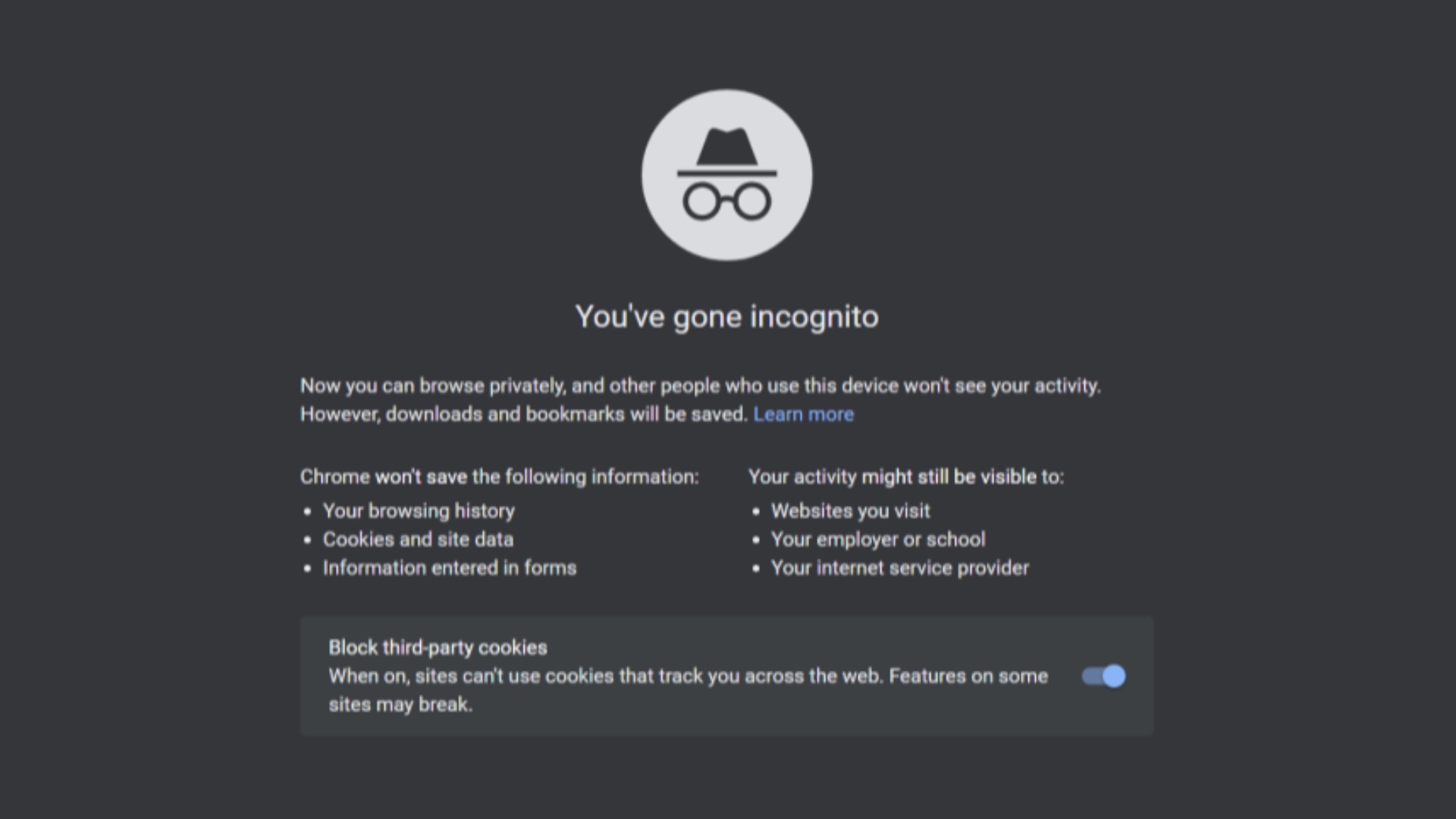
When you open a private browsing session, your browser stops saving certain local data for the duration of that session. That means your browsing history, cookies, site data, and any information you enter into forms won't be stored on your device once you close the window. For shared or public computers, this can be a legitimate and practical privacy measure.
It's also useful for a few specific scenarios that have nothing to do with secrecy. If you want to browse a site without being tracked by login cookies (say, to check whether you're seeing the same prices as a non-logged-in user, which is particularly helpful when you're booking flight tickets or vacation options), incognito can help with that. It also lets you open multiple accounts in the same browser simultaneously, which is handy if you manage more than one email or social media profile.
The key thing to keep in mind is that all of these benefits are strictly local. They only affect what's stored on the device you're using; they don't touch anything that happens outside of it.
What It Doesn't Protect You From
Here's where most people get tripped up: incognito mode might pause your browsing history, but it doesn't hide your activity from your internet service provider (ISP). Your ISP can still see every website you visit, regardless of whether you're in a private window or not, because the data still has to travel through their servers. In many countries, ISPs are legally permitted—and in some cases, required—to retain records of this data.
That also means, incognito mode or not, your employer or school can also see what you're doing if you're connected to their network. After all, network administrators have access to traffic logs that exist completely independently of your browser settings; opening a private window on your work laptop while connected to the office Wi-Fi does nothing to change that. You might think that's obvious, but you'd be surprised at how this common misconception has caught more than a few people off guard.
Websites themselves can still track you, too. While incognito mode blocks cookies from being saved after your session ends, it doesn't prevent sites from identifying you through other means, such as your IP address or browser fingerprinting, a technique where websites identify users based on the unique combination of settings, fonts, and browser configurations on their device. So, for all the perks you might think come with private browsing, it isn't all that golden.
The Google Lawsuit That Changed the Conversation
For years, the limitations of incognito mode were something most people simply didn't think about. That changed in 2024, when Google agreed to settle a class action lawsuit that alleged the company had been collecting user data even while people were browsing in private mode. The lawsuit claimed that Google used tools like Google Analytics and ad trackers embedded in third-party websites to gather information on users who believed they were browsing privately.
The settlement, which was formally presented in 2024, required Google to delete billions of data records collected from incognito users and to be more transparent about what the mode does and doesn't do. As part of the agreement, Google also updated the splash screen that appears when you open an incognito window to more clearly state that your activity may still be visible to websites, employers, and ISPs. It was a significant moment that put the feature's limitations under a mainstream spotlight.
The case underscores a broader issue with the way privacy tools are marketed versus how they actually function. When a feature is called "incognito," users naturally infer a level of protection that may not exist; the name itself shapes expectations in ways that don't always align with the technical reality.
So What Should You Use Instead?
If your concern is hiding your activity from your ISP or from network monitoring, a virtual private network (VPN) is a much more effective tool. A VPN encrypts your traffic and routes it through a server in a different location, making it significantly harder for your ISP or network administrator to see what you're doing. It's not a perfect solution either, but it addresses a different layer of the problem than incognito mode does. For more robust protection against website tracking, you can also try out browsers that are built around privacy, such as Brave.
Ultimately, while incognito mode isn't useless, it's not as powerful a tool as most people think it is. Being aware of its actual limits is the first step toward making more informed decisions about your digital privacy, so you can browse more safely and comfortably online.