
If you just dropped a decent chunk of your paycheck on a new laptop, we don't blame you if your first instinct is to protect your investment as thoroughly as possible. In fact, you probably already placed an order online or prowled through the nearest electronics store in search of some key accessories. After all, that's exactly how you'd treat a new phone, so why wouldn't the same logic apply here?
The truth is that laptops and phones are built very differently, and the kit that keeps your phone looking pristine can actually cause serious damage to your laptop over time. From trapped heat to cracked screens, these three popular "protective" purchases might be doing the opposite of what you intended. Here's what you need to know before you slap another accessory onto your new machine.
Laptop Cases Can Suffocate Your Ventilation System
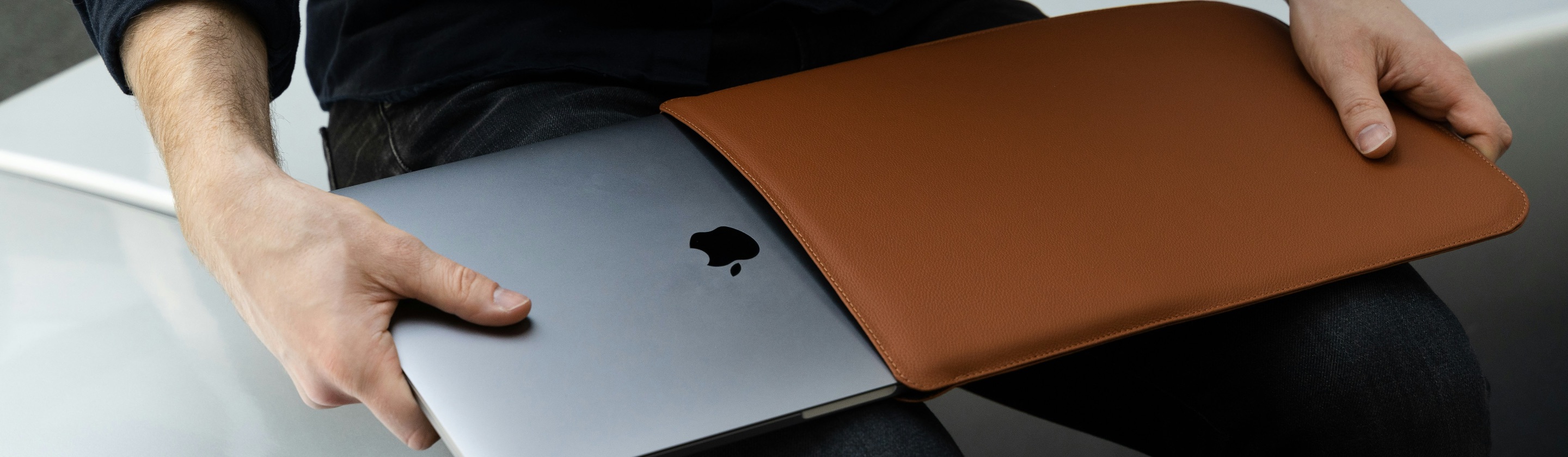
Laptops rely on internal fans and strategically placed vents to pull in cool air and push out the heat generated by the processor and graphics card. When you wrap your laptop in a case that doesn't account for these vents, you're essentially blocking the exits your machine needs to stay cool. Cases without cutouts obstruct air vents and disrupt the airflow necessary for active cooling, which forces the fans to work harder just to keep the device at a safe temperature. Over time, this added strain can shorten the lifespan of the very components you're trying to protect.
The bigger issue often comes down to the type of case you choose. Hard-shell cases made of thick plastic or silicone offer solid physical protection, but they also trap heat and interfere with the passive cooling process that many laptops depend on. This becomes especially noticeable during demanding tasks like video editing, gaming, or running multiple applications at once, since your laptop is already generating more heat than it would during simple browsing or word processing. If you've noticed your fans running louder than usual since you added a case, that's a sign worth paying attention to.
Most of your laptop's vents are located beneath the keyboard, and it's easy to block them without even realizing it. This is precisely why a snug case with no ventilation cutouts can be such a problem; you're not just adding a layer of protection, you're sealing off the pathway your laptop uses to breathe. If you're set on using a case, look for one specifically designed with cutouts that match your laptop's model, since a generic or ill-fitting case is far more likely to cause overheating issues down the road.
Keyboard Covers Trap Heat and Damage Your Screen
Keyboard covers might seem like a harmless way to guard against spills, crumbs, and daily wear, but they come with two distinct downsides that many people don't consider before buying one. The first issue is heat-related: on certain laptop models, the space between and beneath the keys actually functions as part of the cooling system, letting air pass through to help dissipate heat away from internal components. Covering this area with a silicone or plastic sheet can trap that heat instead of letting it escape, which puts unnecessary stress on your hardware over time.
The second and arguably more serious concern involves your screen. Modern laptops, especially thin ultraportables, are engineered with extremely tight clearance between the keyboard and the display when the lid is closed. According to Apple's own support documentation, the clearance between the display and the top case is engineered to tight tolerances, and using a camera cover, palm rest cover, or keyboard cover without removing it before closing the display might interfere with the display and cause damage. This isn't a theoretical risk either; TechRadar reported that Apple issued this warning after receiving complaints from MacBook owners whose screens had cracked due to covers left in place when the lid was closed.
If you're going to use a keyboard cover, the safest approach is to remove it every single time before closing your laptop, not something you leave on indefinitely. It's an extra step that takes only a few seconds, but skipping it repeatedly can lead to permanent scratches, pressure marks, or even cracks that no amount of screen cleaner will fix. Given how expensive laptop displays are to repair or replace, this small habit is worth building into your routine.
Screen Protectors Do More Harm Than Good
Unlike phone screens, which are made of toughened glass designed to handle direct contact and adhesive films, laptop displays use much more delicate coatings that aren't built to withstand the same treatment. Anti-glare and anti-reflective layers sit on top of the actual glass or plastic panel, and these coatings can be permanently damaged by the adhesive used in most screen protectors. In fact, installing a screen protector is one of the most common mistakes for many users.
The trouble doesn't always show up right away, either; it often becomes apparent when you try to remove the protector later. This is because the adhesive holding a screen protector in place is frequently stronger than the bond between the anti-reflective coating and the glass underneath it, so peeling the film away can pull the coating off with it and leave behind permanent, unsightly patches. That kind of damage typically requires a full display replacement, which can cost hundreds of dollars depending on your laptop model.
There's also a practical argument against screen protectors that has nothing to do with adhesive damage. Laptop screens don't face the same drop risks that phone screens do, since laptops aren't held in your hand while you're using them and rarely make direct contact with the ground. Applying a screen protector, therefore, often causes more harm than good, since trapped air bubbles and uneven application can affect image sharpness in ways that are especially hard to avoid on a display as large as a laptop's. If smudges and fingerprints are your main concern, a simple microfiber cloth will keep your screen clean without introducing any of these risks.
The Bottom Line
We get it: it's completely understandable to want to protect an expensive purchase. But not every accessory marketed as protective actually lives up to that promise. Cases without proper ventilation cutouts, keyboard covers left on when you close the lid, and screen protectors applied to delicate display coatings can all end up causing the very damage you were trying to avoid. Before you add any of these accessories to your laptop, take a moment to research whether your specific model can handle them safely, and always err on the side of removing anything that sits between your keyboard and screen before you close the lid. A little bit of caution now can save you from an expensive repair bill later.