Should You Really Use an Ad Blocker?
With so many pop-ups and ads (ahem, YouTube), you might think it'd be impossible to browse the web without an ad blocker. Yet, while an ad blocker can certainly make web browsing less annoying, they’re not always a perfect fix, either: some sites may not work properly when blocking tools are turned on, and others may bar you from viewing their page altogether. The resulting downside is a trade-off that users constantly need to debate, though both the cons and the pros are worth looking at more closely. Let's take a deeper dive into the good and the bad.
1. Some Websites Stop Working Properly
One of the most frustrating parts of using an ad blocker is that certain websites don’t load the way they should. Buttons may disappear, videos may refuse to play, or checkout pages may get stuck because a script was blocked. You may end up turning the blocker off just to finish what you were trying to do.

2. Paywalls and Blocker Warnings Can Get in the Way
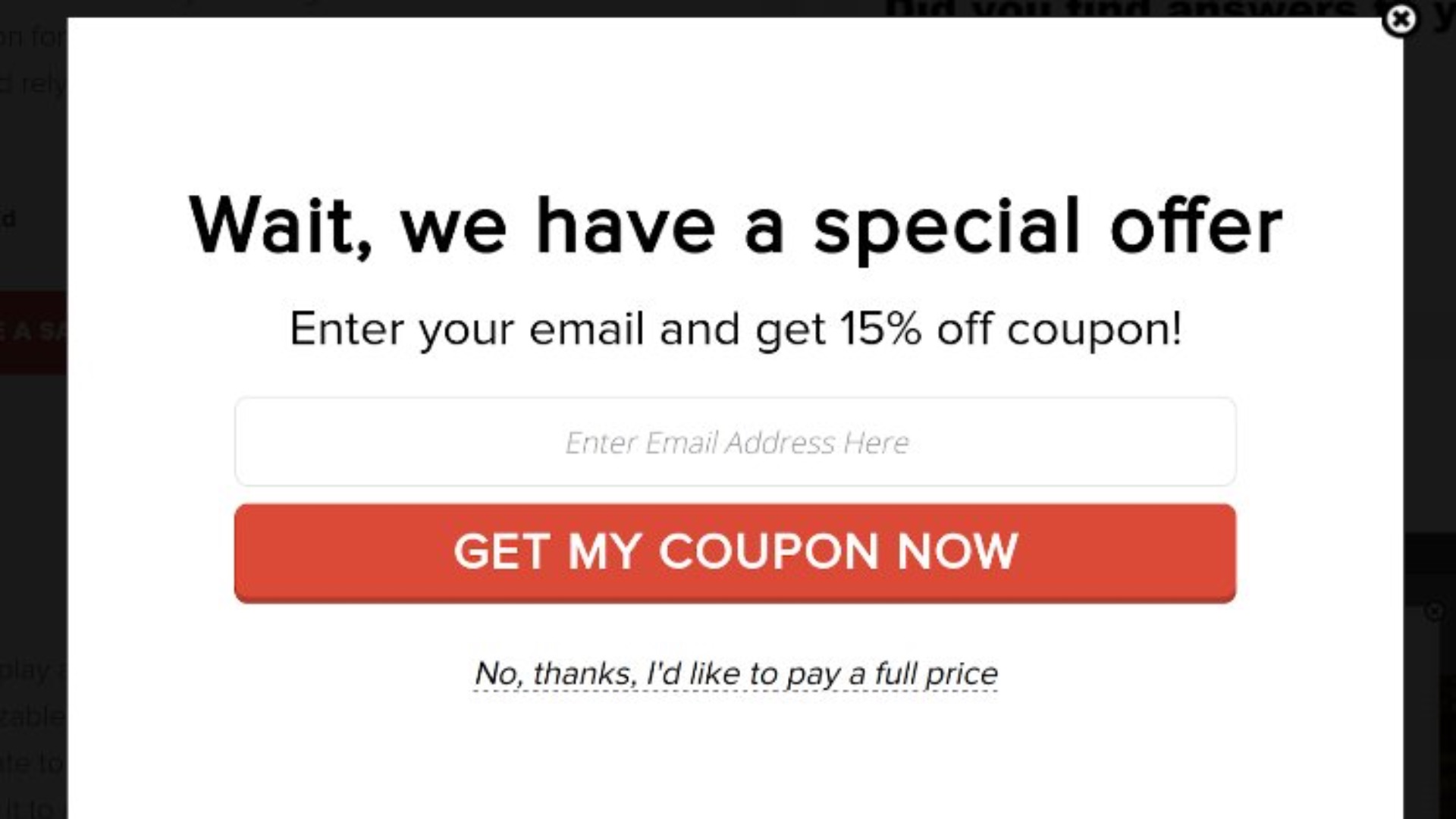
Many publishers now detect ad blockers and display messages asking you to disable them before you can read anything. This can interrupt your browsing and make a simple visit feel more complicated than it needs to be. Even when you understand why the site is asking, it still adds another step before you get to the content.

3. Free Sites May Lose Revenue
A lot of websites rely on advertising income to pay writers, editors, developers, hosting costs, and other expenses. But if enough visitors block ads, those sites may have a harder time staying free or maintaining quality, and the long-term result may mean fewer useful free resources.

4. Some Ad Blockers Need Extra Setup
Not every ad blocker works perfectly as soon as you install it. You may need to adjust filters, whitelist certain pages, or troubleshoot settings when something breaks. For people who just want a simple browsing experience, that extra maintenance can become annoying.
5. Useful Promotions Can Be Hidden Too
Ad blockers don’t always distinguish between irritating ads and helpful offers. You might miss discount codes, limited-time sales, local event notices, or sponsored recommendations that would actually interest you. That doesn’t mean every ad is useful, but blocking everything can sometimes remove information you might have wanted.

6. Content Creators Can Be Affected
Many independent creators earn money through display ads, sponsorship placements, or affiliate promotions on their websites. When visitors block those revenue streams, it can make it harder for creators to fund the work they share for free. Supporting someone’s content may require subscribing, donating, or finding another way to contribute.

7. Some Features May Be Mistaken for Ads
Ad blockers can occasionally block page elements that aren’t traditional advertisements. Newsletter forms, embedded videos, comment sections, or shopping widgets may disappear because they resemble ad-related content. When that happens, the page can feel broken even though the website itself isn’t the main problem.
8. You May Need to Manage Whitelists
Over time, many users build a list of websites where their ad blocker has to be turned off. That can include banking sites, streaming platforms, news outlets, online stores, or work-related tools. Managing those exceptions isn’t difficult, but it does make browsing feel a little less effortless.

9. Some Blockers Raise Privacy Questions
Not every ad blocker is equally trustworthy. Some tools may collect browsing data, allow certain advertisers through paid programs, or come from companies with unclear policies. Before installing one, it’s worth checking who makes it and how it handles your information.

10. It Can Create a False Sense of Protection
Using an ad blocker can reduce exposure to many annoying and risky ads, but it doesn’t make you fully safe online. You still need to watch out for phishing links, suspicious downloads, fake websites, and unsafe browser extensions. Treating an ad blocker as complete protection can leave you less careful than you should be.
Of course, even with those drawbacks, there’s a reason ad blockers remain popular. For many people, the benefits are enough to outweigh the inconveniences.

1. Web Pages Usually Load Faster
Ads can add a surprising amount of weight to a webpage, especially when they include videos, animations, trackers, and third-party scripts. Blocking them often helps pages load more quickly and respond more smoothly. If you browse on a slower connection, the improvement can feel especially noticeable.

2. Browsing Looks Cleaner
A good ad blocker can remove banners, pop-ups, sidebar ads, and other visual clutter from the screen. That makes articles easier to read and websites less distracting to use. You can focus on the content instead of constantly working around flashing boxes or crowded page layouts.

3. Autoplay Videos Become Less Annoying
Few things interrupt browsing like an unexpected video ad playing with sound or taking over part of the screen. But with an ad blocker, it can stop many of these videos before they start. That makes the experience less disruptive, especially when you’re reading, researching, or browsing in a shared space.
 Christian Wiediger on Unsplash
4. You Use Less Data
Since many ads include images, videos, and tracking scripts, they can consume data without adding much value to your visit. Blocking them can help reduce how much data your browser uses. This is especially helpful when you’re on a limited mobile plan or using a weak connection.

5. There’s Less Tracking Across Websites
Many online ads are connected to tracking systems that follow your activity from one site to another. Ad blockers can reduce some of that tracking by blocking ad networks and related scripts. While they don’t guarantee full privacy, they can make everyday browsing feel less exposed.

6. Pages Feel Less Overwhelming
Some websites overload visitors with pop-ups, sticky ads, newsletter prompts, sponsored boxes, and video placements all at once. An ad blocker can strip away much of that excess and make the page easier to navigate. The difference can be especially helpful when you’re trying to read long articles or compare information.

7. They Can Reduce Exposure to Malicious Ads
Some harmful ads can lead users toward scams, fake downloads, or infected websites. Ad blockers can lower the chance of encountering those dangerous placements by stopping many ads from loading in the first place. They’re not a substitute for careful browsing, but they do add a useful layer of defense.

8. They Remove Distractions
When you’re looking up information, ads can pull your attention away from the actual task. Blocking them helps you move from page to page with fewer interruptions. That can make work and research feel more efficient, boosting your focus and overall productivity.
 Glenn Carstens-Peters on Unsplash
9. They Improve the Experience on Older Devices
Older laptops, tablets, and phones can struggle with ad-heavy pages because every extra script and video takes processing power. An ad blocker may help those devices run pages more smoothly. It won’t fix every performance issue, but it can make daily browsing feel less sluggish.

10. You Have More Control Over Your Browser
One of the biggest perks of using an ad blocker is the feeling that your browser is serving your needs instead of advertisers’ priorities. You can decide which sites deserve exceptions, which filters to use, and how strict you want the blocker to be. That control makes the internet feel more personal and less intrusive.